Message Platform Notion Visuals
How the Organization Data Store would look and flow in Notion under Plan A of the AI Message Platform. Run #4 drew these to go with the Notion structure proposal.
Recommendation: Scope 1 now. Only the Message Platform content moves to Notion: Message Templates, Variables, Sequences, Links, Images, Intents and Drafting Workflows. Figma stays the Source of Truth for Glossaries, Process Maps and Procedures. Scope 2, the full port of the 25 Live Boards drawn in section d, is shown so you can judge it. The recommendation is to decide on it after about 3 months of Scope 1.
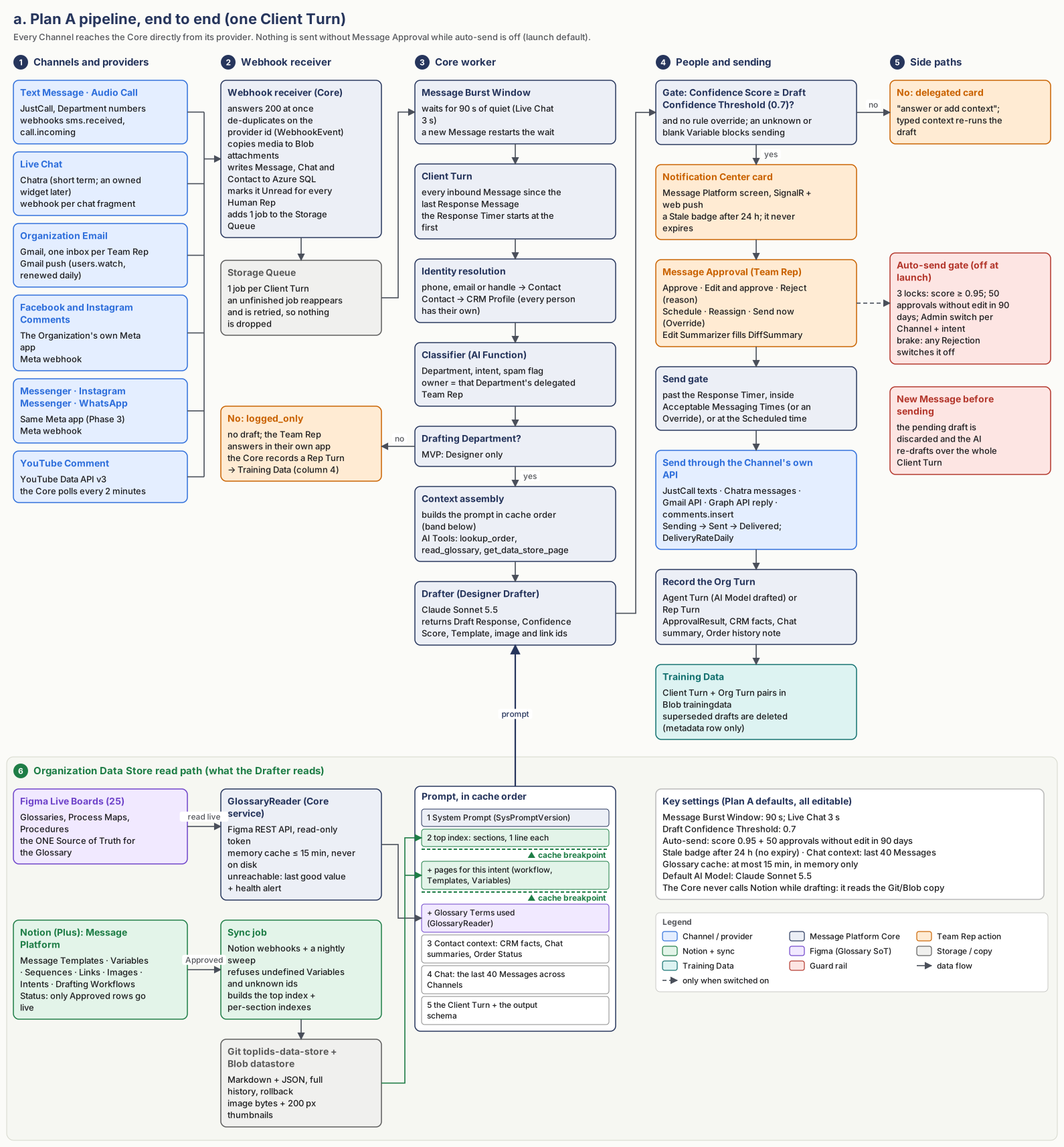
a. Plan A pipeline, end to end
One Client Turn, from a Channel to Training Data. The green band at the bottom shows what the Drafter reads. The Glossary is read live from Figma. Notion content reaches the Drafter only through the sync job's Git and Blob copy, and the Core never calls Notion while drafting.
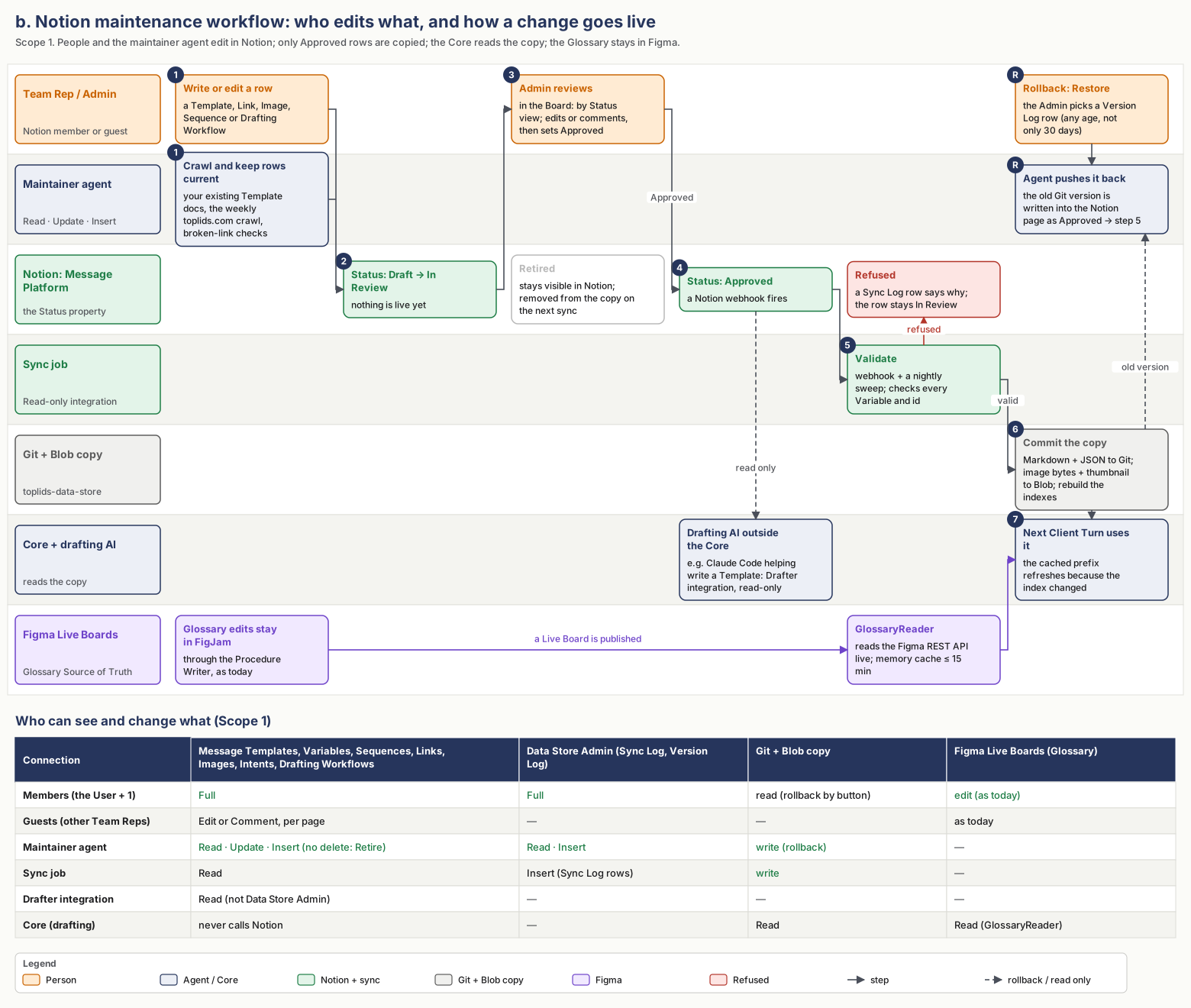
b. Notion maintenance workflow
Who edits what, how a row goes from Draft to Approved to live, how a rollback works through Git, and which connection can see what.
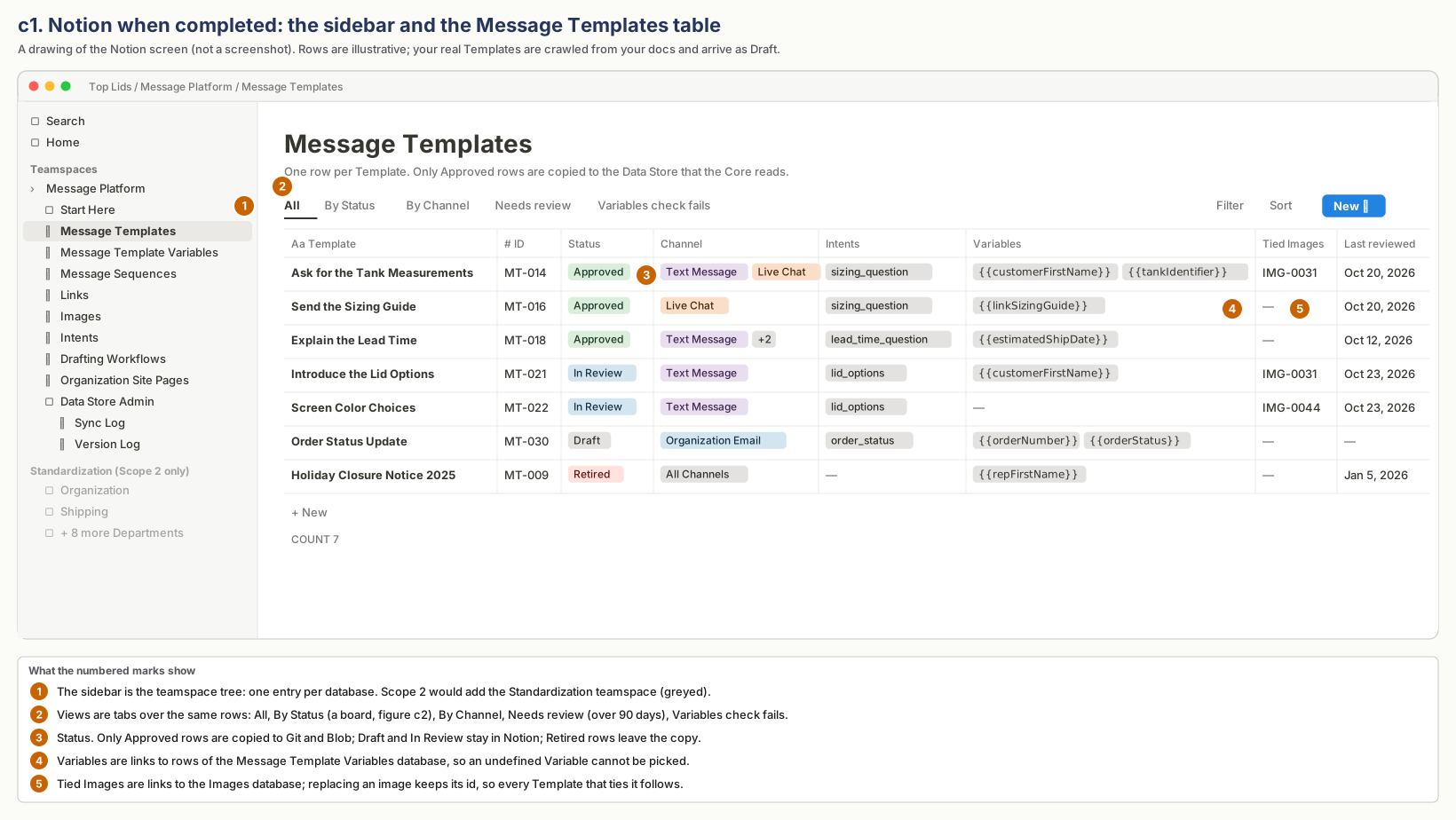
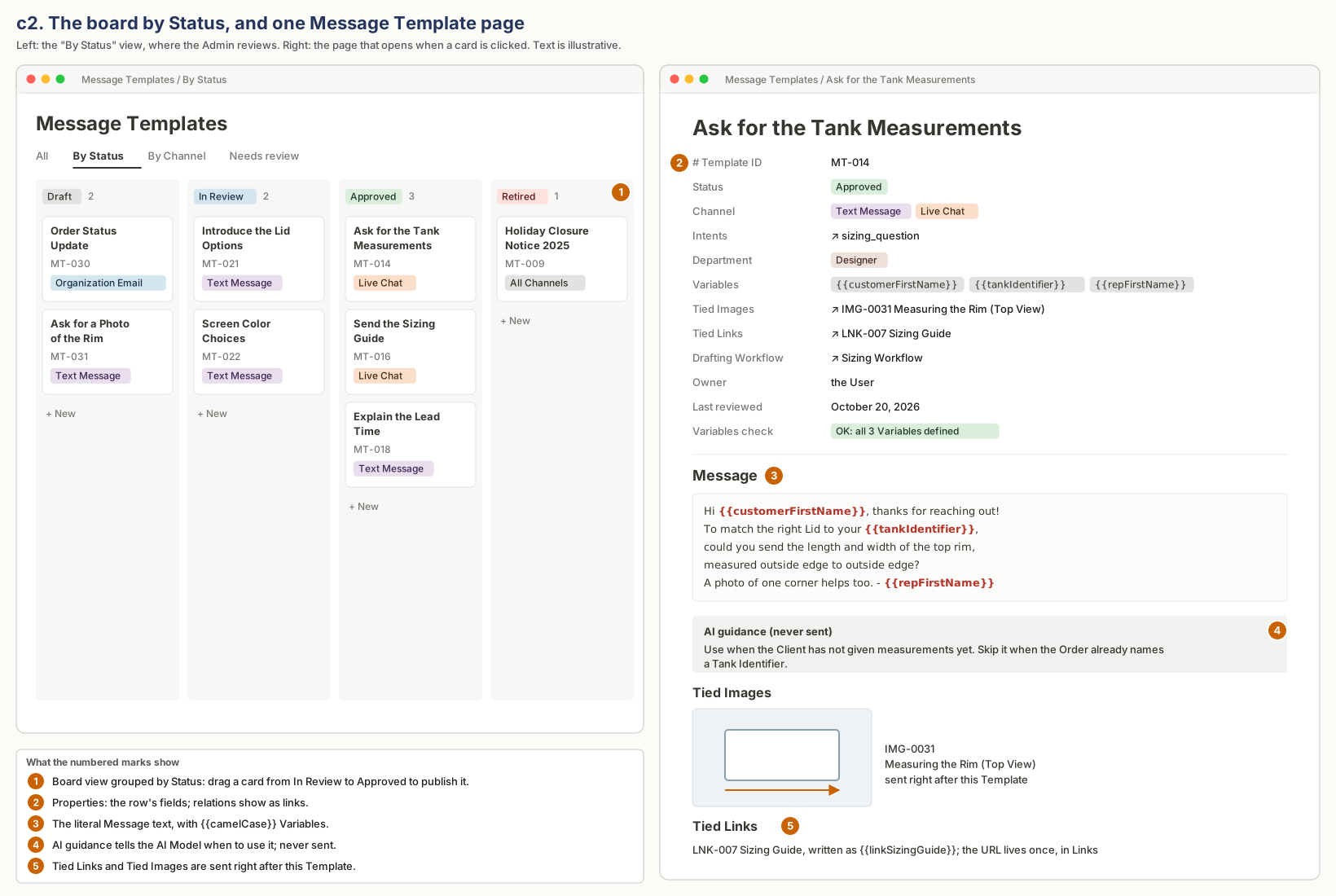
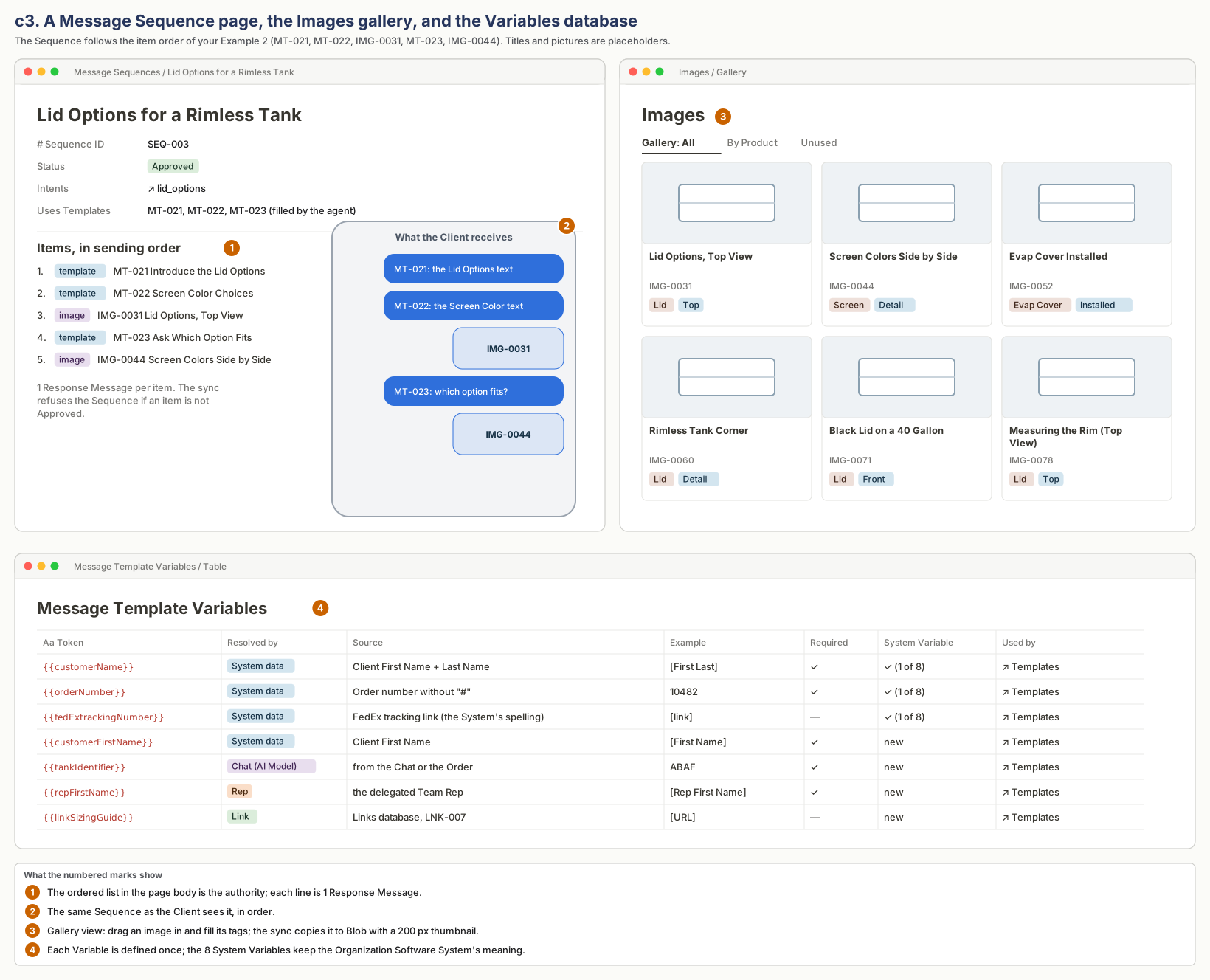
c. What Notion will look like when completed
Drawings of the Notion screens, not screenshots. Template titles and texts are illustrative. Your real Templates and Links will be crawled from your docs and arrive as Draft.
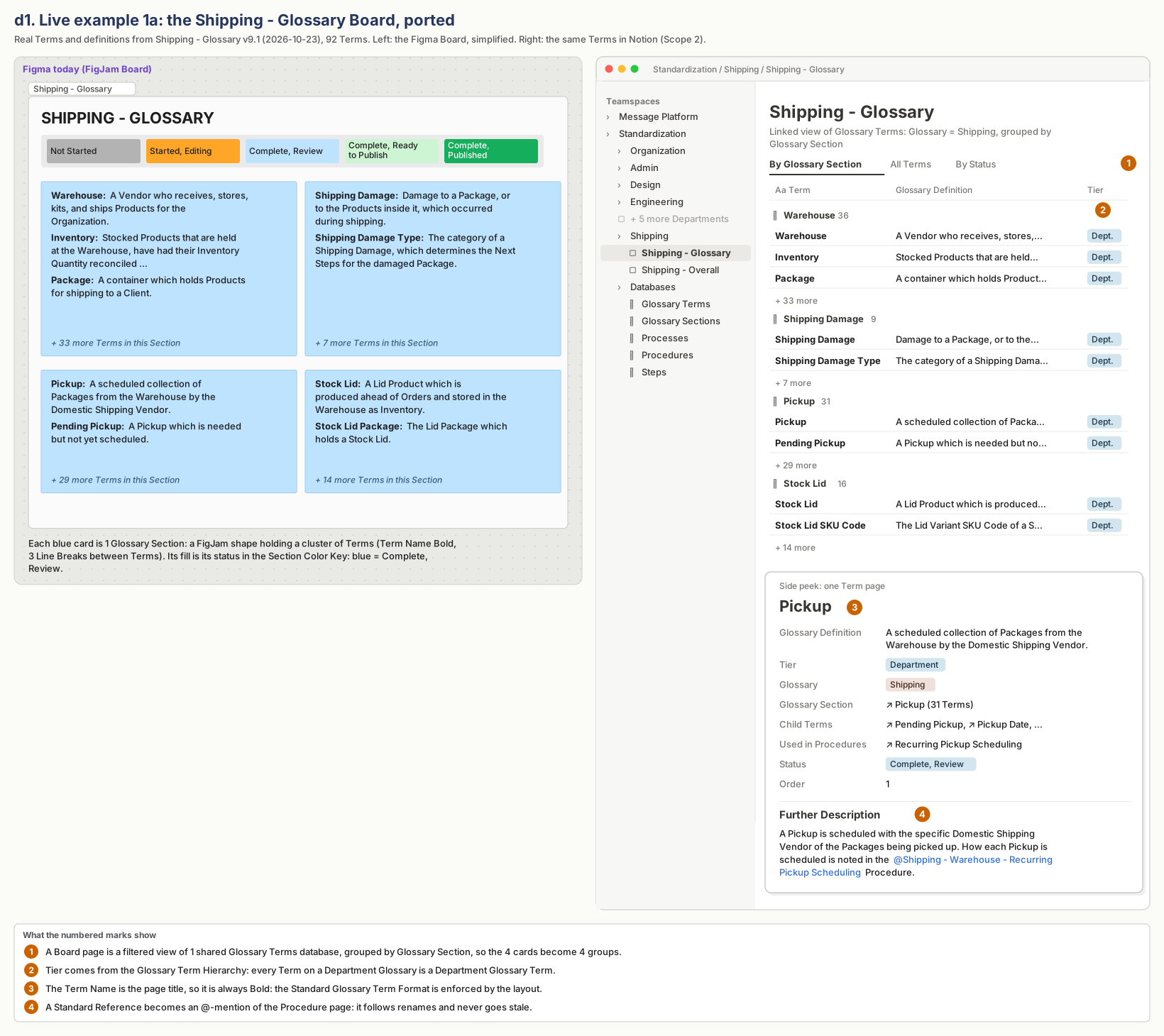
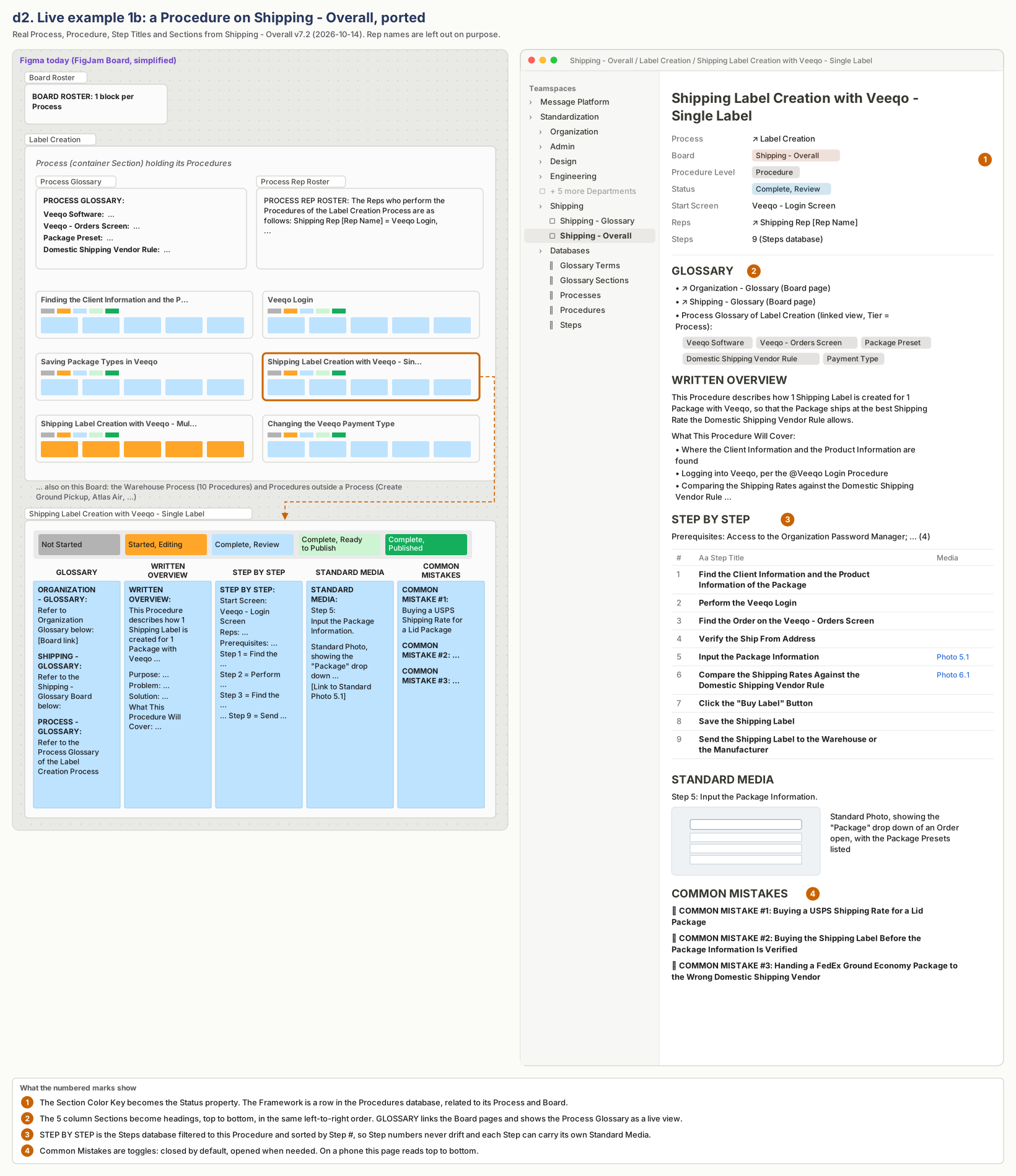
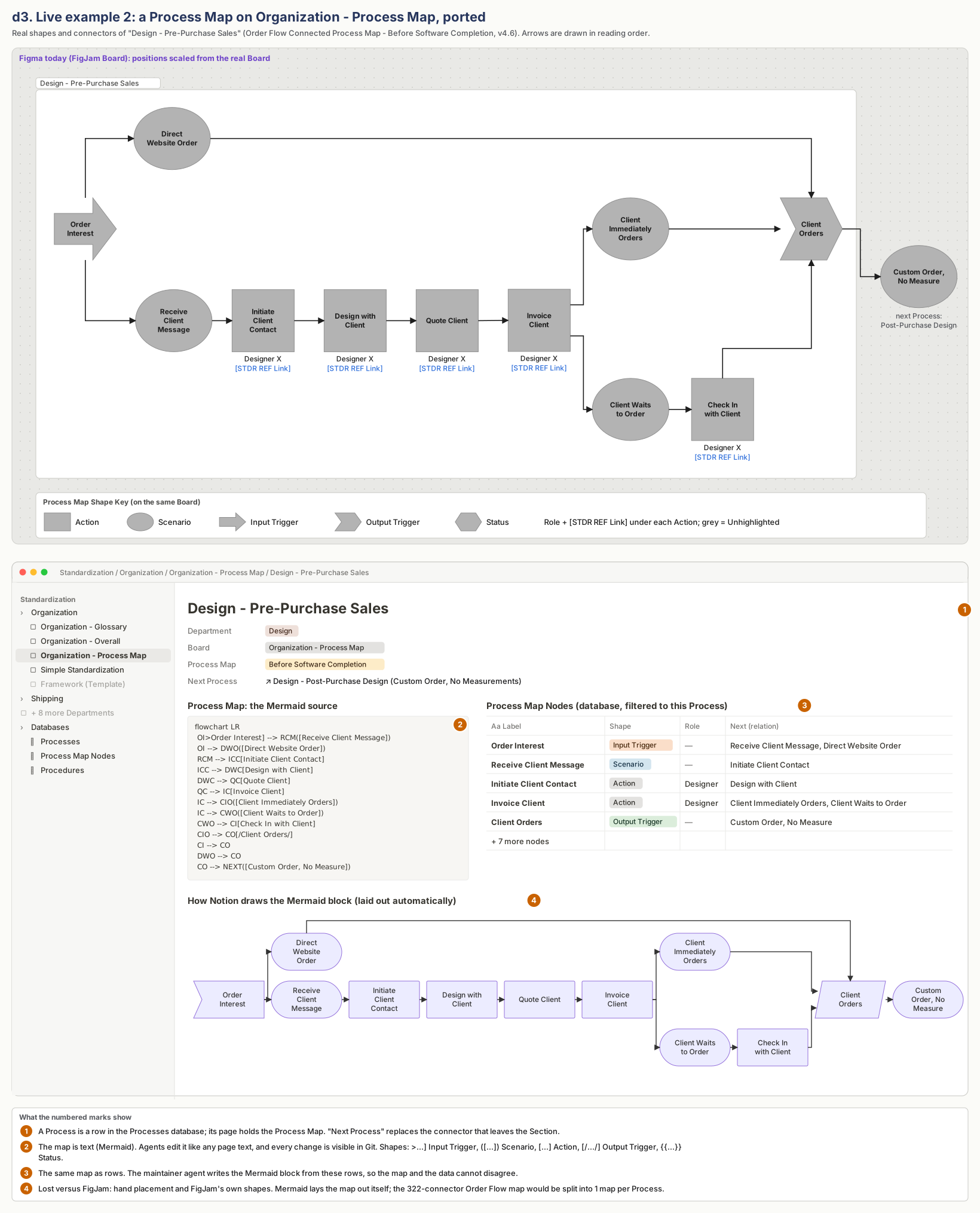
d. Live examples: Figma Live Boards ported to Notion (Scope 2)
The Boards below are drawn from the real Live Board files: Shipping - Glossary v9.1, Shipping - Overall v7.2 and Organization - Process Map v4.6. They are simplified, and Rep names are left out.